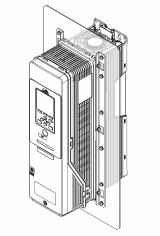
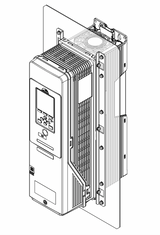
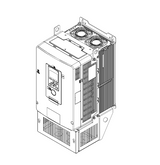
You can install the drive with the heatsink external to the enclosure panel. This installation method is “external heatsink installation”. This kit uses brackets to do an external heatsink installation on IP20/UL Open Type and IP20/UL Type 1 drives. When you use this kit to install the drive with the heatsink external, the drive will release its heat external to the enclosure panel. This will let you install the drive in a smaller enclosure panel and prevent too much heat in the enclosure panel. This manual also tells you how to use the mounting brackets included with the drive to do an external heatsink installation.
This installation kit is compatible with these drives:
- HV600
- FP605
Installation Environment
Installation Environment
| Area of Use | Indoors |
|---|---|
| Power Supply | Overvoltage Category III |
| Surrounding Air Temperature |
-10 °C - +50 °C (14 °F - 122 °F)
|
| Humidity | 95% RH or less. Do not let condensation form on the drive. |
| Storage Temperature | -20 °C to +70 °C (-4 °F to +158 °F) (short-term temperature during transportation) |
| Surrounding Area |
Pollution degree 2 or less Install the drive in an area without:
|
| Altitude |
1000 m (3281 ft) Maximum
Note: Derate the output current by 1% for each 100 m (328 ft) to install the drive in altitudes between 1000 m to 4000 m (3281 ft to 13123 ft).
It is not necessary to derate the rated voltage in these conditions:
|
| Vibration |
|
| Installation Orientation | Install the drive vertically for sufficient airflow to cool the drive. |